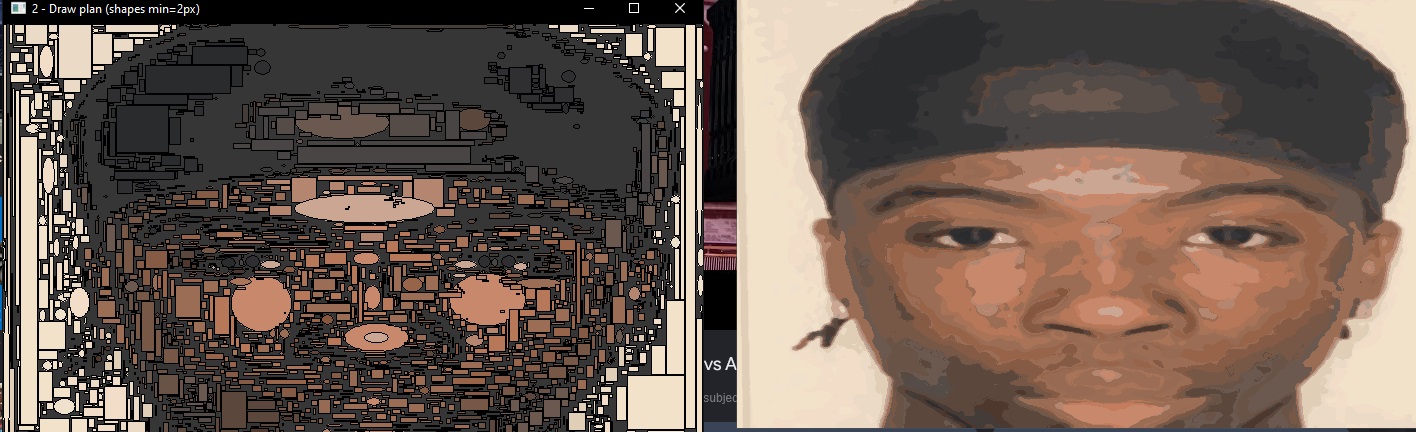
Draws a picture for you, badly, at speed
Gartic Phone gives you a drawing prompt and not enough time. This script takes any image and draws it into the game's canvas by physically moving the mouse, so it works in any browser — it's not a browser extension or anything touching the game's code.
You calibrate once by hovering over the canvas corners and the colour swatch, and it remembers.
Quantize, then scan line by line
The image gets reduced to 32 colours, sharpened a bit so details survive, then drawn one colour at a time. It goes bright to dark, which means darker detail lands on top of lighter fill instead of being buried by it.
For each colour it drags horizontal lines across the regions that need it. Setting an exact colour means driving the Windows colour picker dialog directly — clicking into the red, green and blue fields, typing the values, and pressing OK, all through Win32 calls rather than by guessing at pixel positions.
Mostly about going fast without getting throttled
- Drag, don't click. Drawing a line as one press-move-release is 10 to 20 times faster than clicking each dot along it.
- There's a minimum brush size. Anything below 3 gets rate limited by the game and the strokes start dropping.
- Overlap the rows. Stepping down by half the brush width each line gives solid coverage. A full brush width leaves gaps.
- The browser needs a moment. After a burst of drawing, the colour swatch doesn't respond immediately, so the picker retries a few times before giving up.